
Editing Genres in Nimivo


Nimivo uses The TVDB as its source of data about movies and TV shows. The data returned for a title includes a list of genres. The returned genre list is accurate for many titles. For some titles, however, you may find the list inaccurate or excessive. I have seen titles that have six or more genres assigned to it and you see the title in almost every genre you select in Nimivo.
Each unique genre that is returned from The TVDB is added to the database. Nimivo provides you with the ability to add, delete, and edit genres for movies and TV Shows.
Adding New Genres
Genres are a way of organizing or grouping titles. Standard genres include Action, Adventure, Comedy, Drama, among others. Sometimes, though, you might want to group certain titles differently, according to your taste.
For instance, if you own Marvel or DC Comics movies like The Avengers or Batman, those titles will have genres like Action, Science Fiction, and Thriller. You could add a new genre called Superhero and assign that new genre to the title(s). New genres that I have added for my movie collection are James Bond, Martial Arts, and Superhero.
To add a genre, open the Settings screen by clicking the gear icon in the upper right area of Nimivo:

Click the ‘+’ icon to the right of Edit Genres:
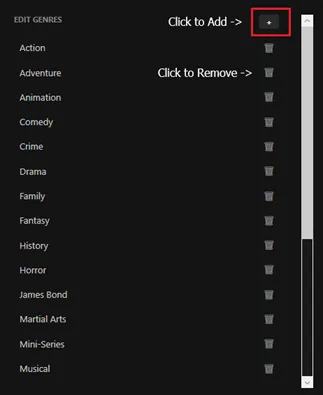
This will show a textbox where you can type in the new genre name. Click Save when finished. The new genre will now appear in the genre list.
Editing a Title’s Genres
To modify a title’s genres, including selecting newly added genres, open the title you want to edit and select the Edit button:
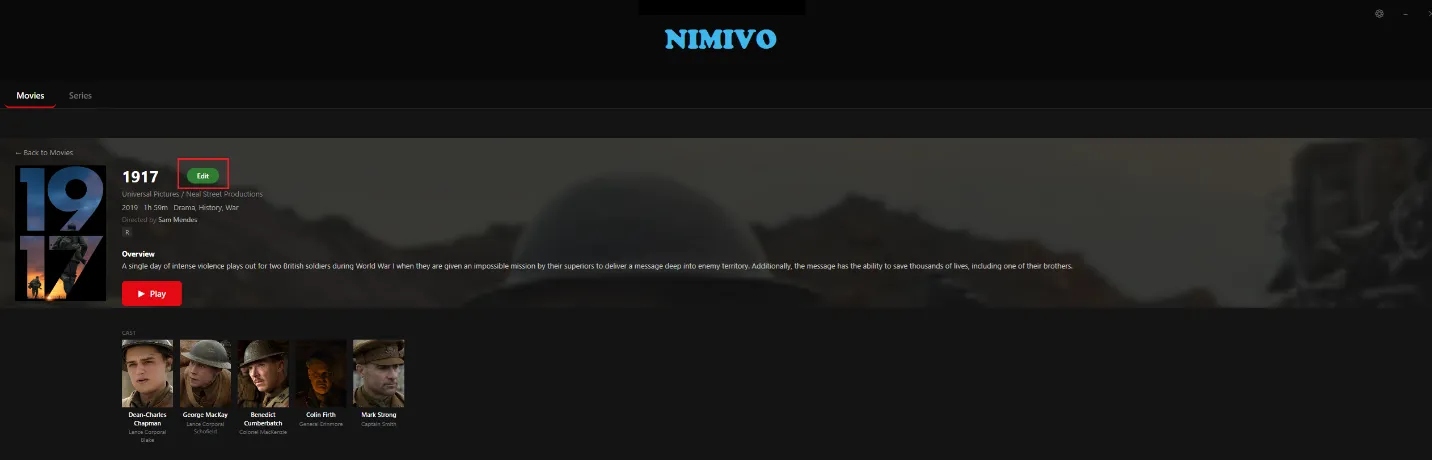
This will open the Edit window (either Edit Movie or Edit Series). You can edit the Title, Overview, and Genres.
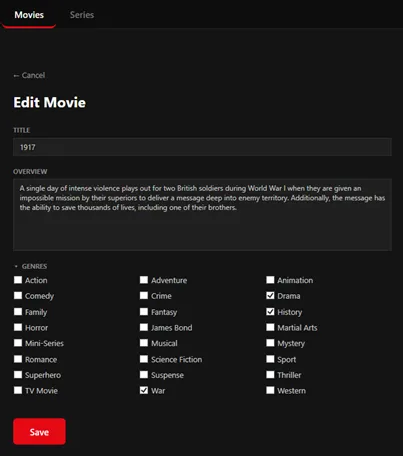
Select or deselect the genres so that checkboxes reflect only the genre(s) you want for the title and click Save.
Deleting a Genre
Open the Settings window by clicking the gear icon in the upper right area of Nimivo. Click the trash can icon for the genre you want to delete. Deleting a genre will remove it entirely from the Nimivo database.
Note: This will also remove the genre from all titles that had it. If a title only had that one genre, then the title will only display when ‘All’ is selected in Nimivo. You can still edit the title to add any other genre for it.